
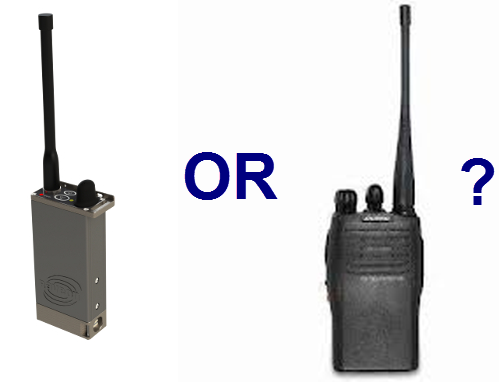
Sometimes two-way voice radios can be used for safety and personnel locating. When trying to decide if a dedicated GPS transponder like the Raveon ATLAS PT or a voice radio is the right choice, keep these important points in mind:
- You will know where everyone is at all times. A GPS Transponder operates at all times, not just when the user presses the PTT button.
- Battery Life. A GPS transponder can run for days on a single charge. Most portable radios will operate 8 hours or so. If used a lot or the PTT button is accidentally pressed, the batteries will last much less.
- Emergency Assistance. In an emergency situation, both technologies can be used to summon help. But if the person is incapable of moving or unconscious, pressing a PTT button is not possible and the GPS transponder will not only continue to send the locations out, but alert that no motion is taking place.
- Search and Recovery. Raveon’s GPS transponders automatically, continuously, and quickly transmit GPS location and status. Rescue personnel can use a tablet or laptop computer to locate the transponder in real-time, live while searching. Finding the transponder and locating the personnel can take only minutes. View our asset tracking and safety infographic, which describes how the Ravtrack system is designed.
- No Voice Communications. In many situations it is undesirable to have the people being tracked to be able to talk amongst themselves. This could be for training purposes, privacy, or security. Or, they may already have voice radios, and real-time tracking using a dedicated channel frees up many other channels for voice comms.
- Fast Updates. GPS locators in voice radios are very slow to update, and take a lot of air-time. Tracking hundreds of vehicles or people requires an advanced channel-access protocol like Raveon’s TDMA protocol.
- Log Files. With fast updates, the system can store GPS data to log files for later review or in case there is an incident, the log can be queried to determine what happened during the incident.
- Keep People Honest. Often GPS tracking is done to monitor behavior to verify that they are following rules and staying within limits and boundaries. Voice radios will not help in these situations. Voice radios can be turned off (The ATLAS PT’s power button can be disabled), and people disrespecting their restrictions will probably not get on the radio and announce it.
- Rugged. The ATLAS PT is submersible to 1 meter of water, very rugged, and made from aluminum. Few plastic voice radios can take the abuse the ATLAS PT can. When people lives are at stake, a rugged, long-life product is important.
Comparison of Features
|
Feature |
GPS Transponder PRO |
GPS Transponder CON |
Voice Radio |
Voice Radio |
|
Voice Communications |
User’s Can’t communicate. Security. Privacy. |
Cannot call for help without pressing the ALert Button |
Users can chatter amongst themselves. |
Users can cheat if they are supposed to be on their own. |
|
Battery Life |
Excellent |
8-12 hours |
||
|
Real-time Tracking |
Excellent |
Cannot Do |
||
|
Safety System |
Great situational awareness |
No voice. Cannot talk to rescue. |
Can talk to rescuers |
Must manually press PTT. No help for unconscious personnel. |
|
User Cannot Turn Power Off |
Always On when needed |
Requires charger to shut off. |
None. |
Users can turn radio off if they don’t want to be tracked. |
|
No Motion Alert |
Automatic Transmission if idle to long. |
Sometime false alerts when sleeping/resting. |
None |
Few voice radios have this feature. |
|
Live Tracking by Searcher and Rescue |
Rescuers, cadre or commanders can drive right up to the transponder. |
None |
Personnel can use voice to help direct searchers to find them |
Sometimes difficult to explain location. Person must be conscious. Person must know where they are. |
To learn more about the advantages of the RavTrack system, attend our webinar.


